

Download Scope X – Real-Time Magnification, Customizable Controls, Focus Ring Customization, Universal Compatibility, Overlay-Based Zoom Technology
Overview
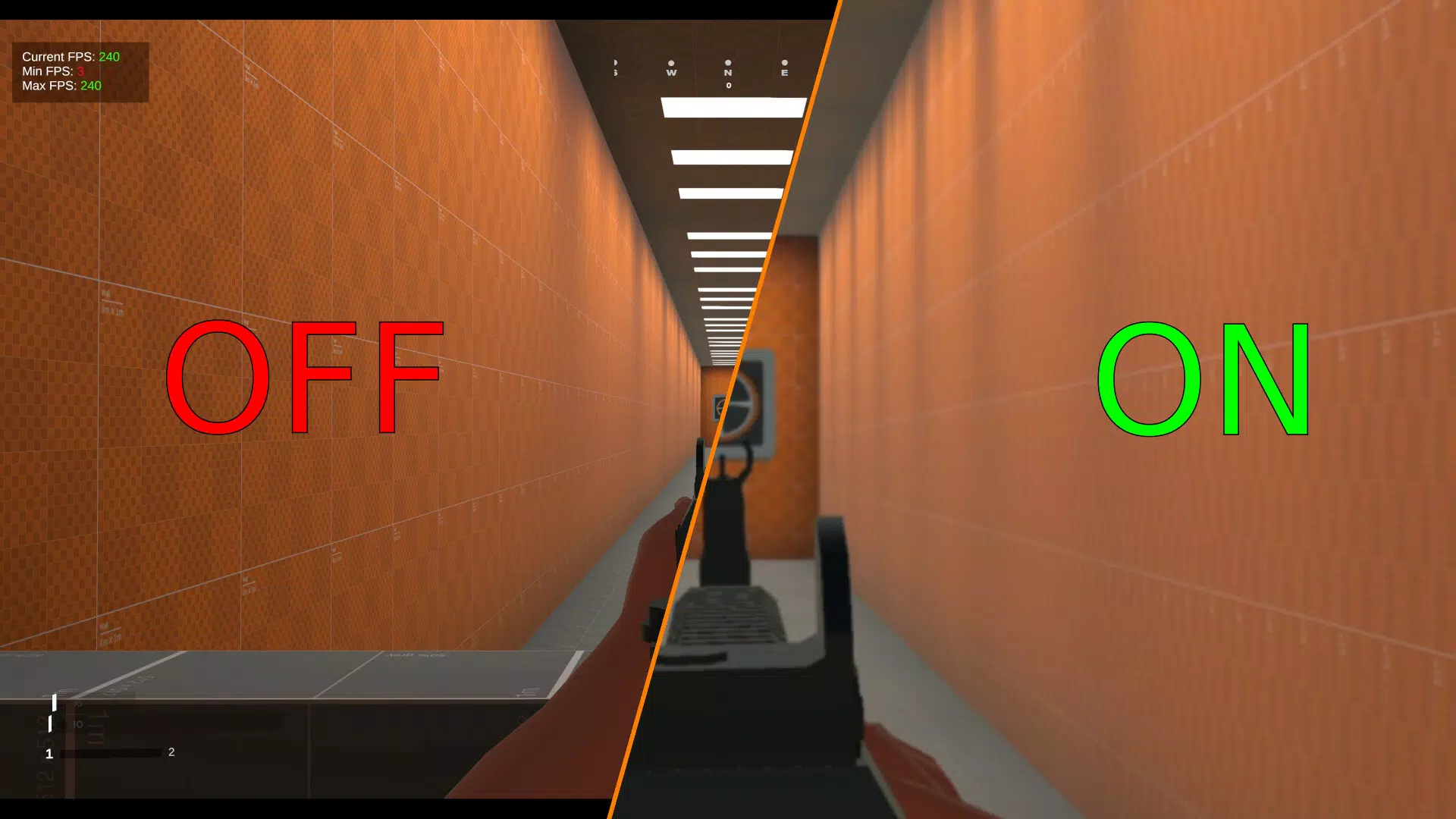
Scope X presents a focused, lightweight solution designed to enhance visual clarity on mobile screens through real-time magnification. The app targets users who require precision in viewing details, such as professionals working with small text, individuals with visual impairments, or gamers seeking to examine intricate in-game elements. By offering an overlay-based zoom system, Scope X enables users to magnify any portion of the screen without altering the underlying content or disrupting other running applications. This makes it particularly valuable in multitasking environments where seamless integration is essential.
The app’s purpose lies in improving accessibility and usability across various digital tasks, from reading fine print in documents to analyzing game interfaces. It is especially useful in scenarios where screen size limitations hinder visibility. While the developer did not provide additional background information, the app’s design philosophy emphasizes minimal interference and maximum adaptability. Real-world use cases include remote work, digital education, and mobile gaming, where clarity and control are critical. In the broader app ecosystem, Scope X fills a niche by offering a dedicated, non-intrusive magnification tool that operates independently of other software, ensuring consistent performance across diverse use cases.
Key Features & Functionality
- Real-Time Magnification: Scope X enables instant zooming in and out of any screen area, with no lag or delay. This feature is ideal for quickly examining small text, icons, or game details without navigating away from the current task.
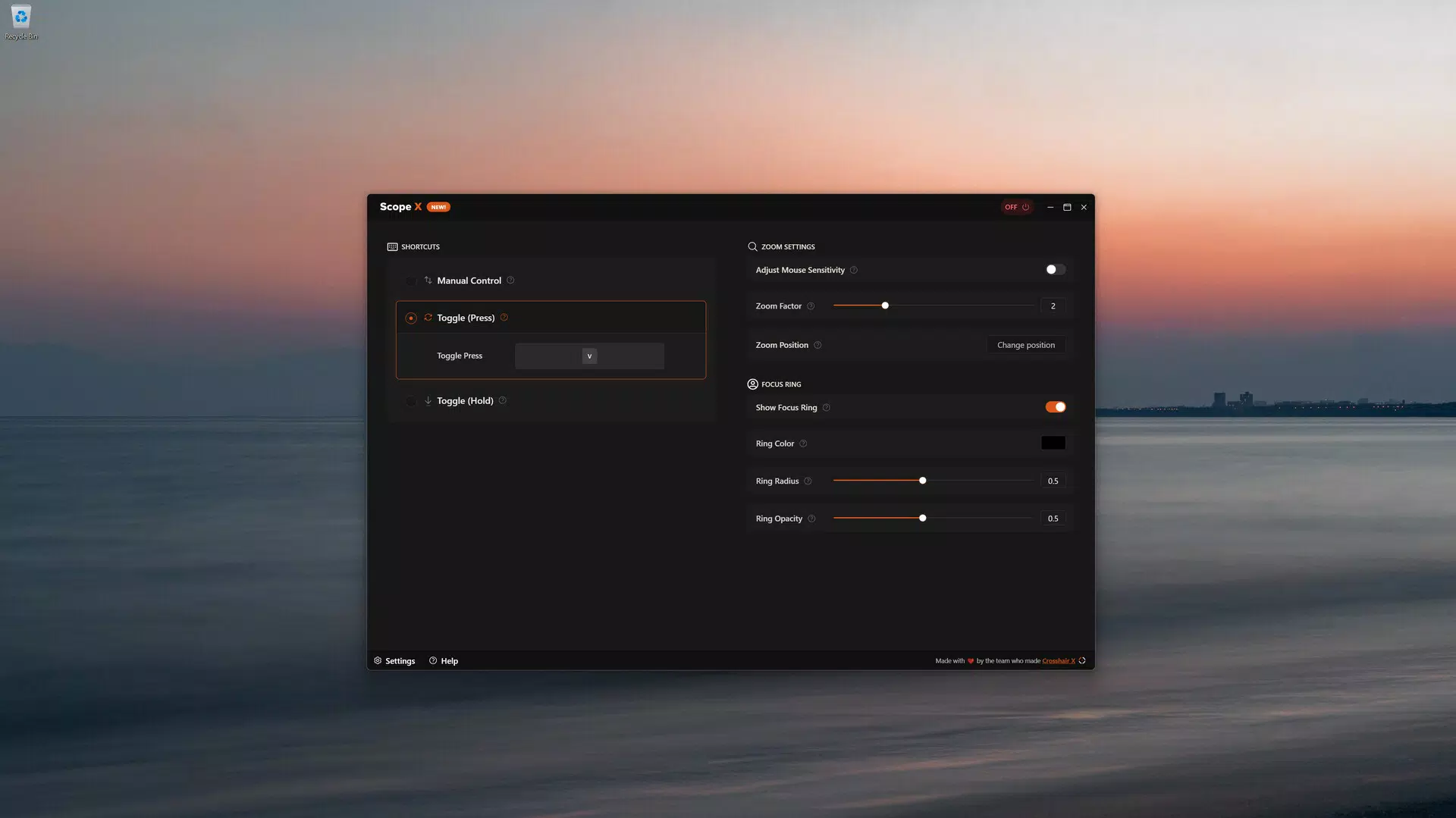
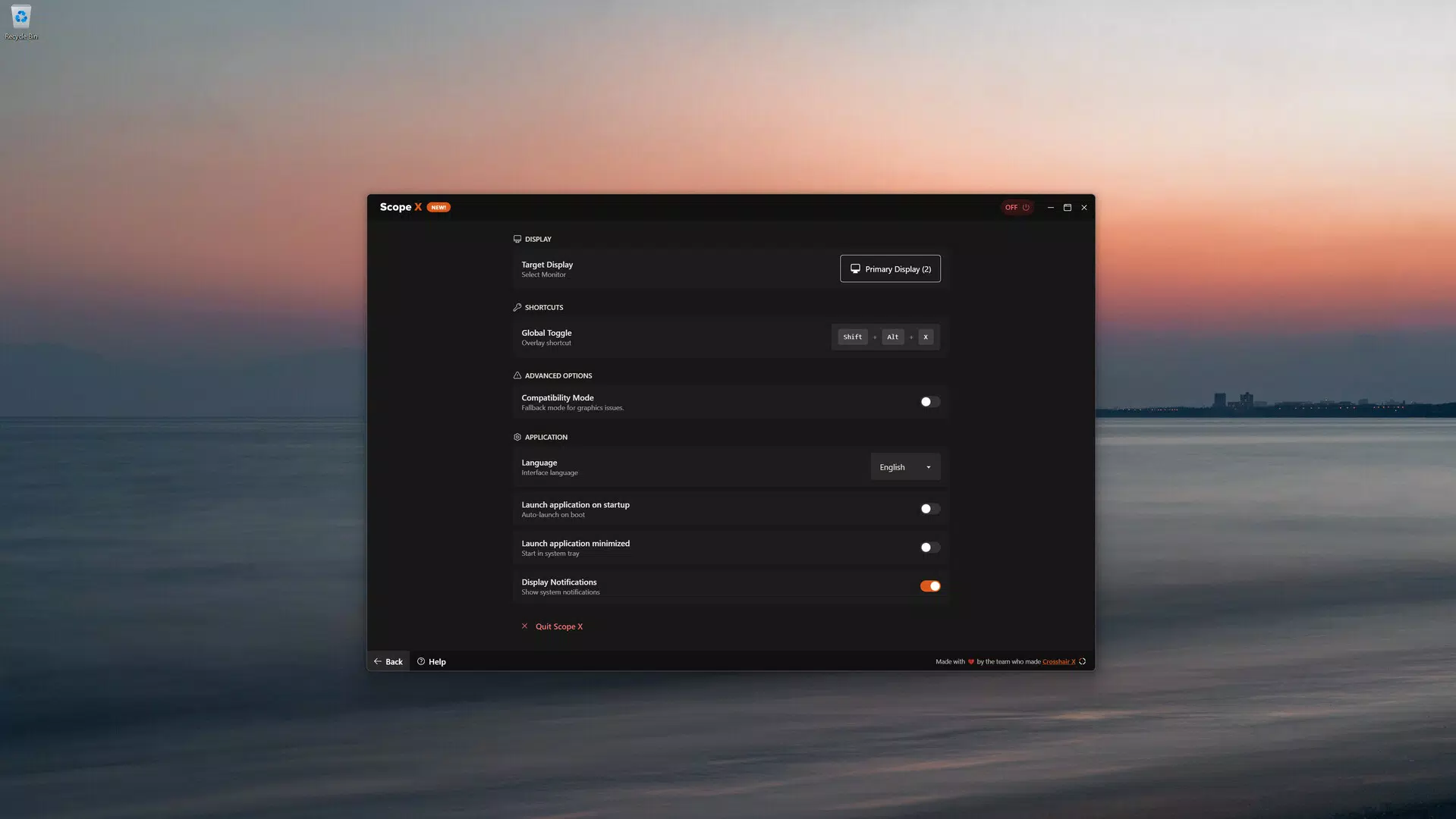
- Customizable Controls: Users can assign keyboard and mouse shortcuts to control zoom levels and movements. This allows for a personalized workflow, reducing reliance on touch gestures and improving efficiency.
- Focus Ring Customization: The visual focus ring can be adjusted in color, size, and transparency. This ensures it remains visible yet unobtrusive, helping users maintain concentration while identifying magnified areas.
- Universal Compatibility: Designed to run alongside other apps and games without conflicts, Scope X does not require integration or dependencies. This allows uninterrupted use during multitasking or gaming sessions.
- Overlay-Based Zoom Technology: Leveraging screen rendering techniques similar to those used in accessibility and recording software, the app overlays a magnified view on top of the existing screen content, preserving original functionality and performance.
For example, a user reviewing a technical document can use the focus ring to highlight a complex diagram while zooming in for clarity. Similarly, a mobile gamer can track enemy movements in a fast-paced battle without switching modes or losing context. These features collectively support a smooth, distraction-free experience tailored to diverse user needs.
Interface, UX & Performance
Scope X features a clean, minimal interface centered around a dynamic overlay that appears when activated. The visual design prioritizes functionality over ornamentation, ensuring that the magnified view remains the focal point. Navigation is intuitive, relying on simple gestures or customizable keyboard inputs to adjust zoom levels and reposition the focus area. The app maintains a low visual footprint, allowing users to interact with the underlying screen without obstruction.
Although the developer did not list formal performance metrics, the app’s overlay-based architecture suggests efficient resource usage. It is designed to operate smoothly across a range of device categories, including mid-tier and high-end smartphones. Responsiveness is expected to be high due to real-time processing, though specific benchmarks were not disclosed. Stability appears to be a priority, as the app functions alongside other applications without reported interference. Users can expect consistent performance during extended use, though actual results may vary based on device hardware and background processes.
Platform Compatibility & Technical Requirements
Scope X is available on Android and iOS platforms, supporting the latest versions of both operating systems. The app has a file size of 14.5 MB, indicating a lightweight footprint suitable for devices with limited storage. Specific requirements such as minimum OS versions or hardware specifications were not listed by the developer. Compatibility information was not fully disclosed, so users are advised to check official sources for up-to-date system compatibility details. The app’s release date was June 6, 2025, marking its entry into the mobile productivity and accessibility space.
Pros and Cons
Pros
- Lightweight design with minimal storage impact
- Real-time zooming without lag or delays
- Highly customizable controls for personalized use
- Seamless operation alongside other apps and games
- Focus ring customization enhances usability and focus
Cons
- Developer did not provide detailed technical specifications
- Specific compatibility requirements were not listed
- Performance may vary depending on device hardware
- Limited information on accessibility features for visually impaired users
- No official support channels or documentation were mentioned
FAQ
Is Scope X safe to download and install?
Yes, Scope X is designed with security in mind. It operates as a standalone tool with no known data collection practices. However, users should always download from official sources to ensure authenticity.
Does Scope X work with all mobile games?
Yes, the app is built for universal compatibility and functions alongside most games without interference. It does not require game-specific integrations or modifications.
Can I use Scope X without a keyboard or mouse?
Yes, the app supports touch-based navigation. While keyboard and mouse shortcuts are available for enhanced control, the app remains fully functional using only touch input.
How often is Scope X updated?
The app was released on June 6, 2025. The developer has not disclosed an update schedule, but users can expect future improvements based on user feedback and evolving needs.
Is Scope X available for both Android and iOS?
Yes, Scope X is compatible with both Android and iOS platforms, offering cross-platform accessibility for users across different ecosystems.
Final Thoughts
Scope X stands out as a precision tool for users who demand clarity and control over their mobile screen experience. Its real-time magnification, customizable interface, and seamless compatibility make it a valuable addition to any digital workflow. Whether you're working on detailed documents, engaging in competitive gaming, or simply trying to read small text, Scope X delivers a reliable, unobtrusive solution.
The app’s lightweight nature and focus on performance ensure it remains efficient without draining resources. While some technical details remain undisclosed, its core functionality is clear and effective. For professionals, students, and gamers alike, Scope X offers a practical way to enhance visual interaction on smartphones and tablets.
Download Scope X now


